
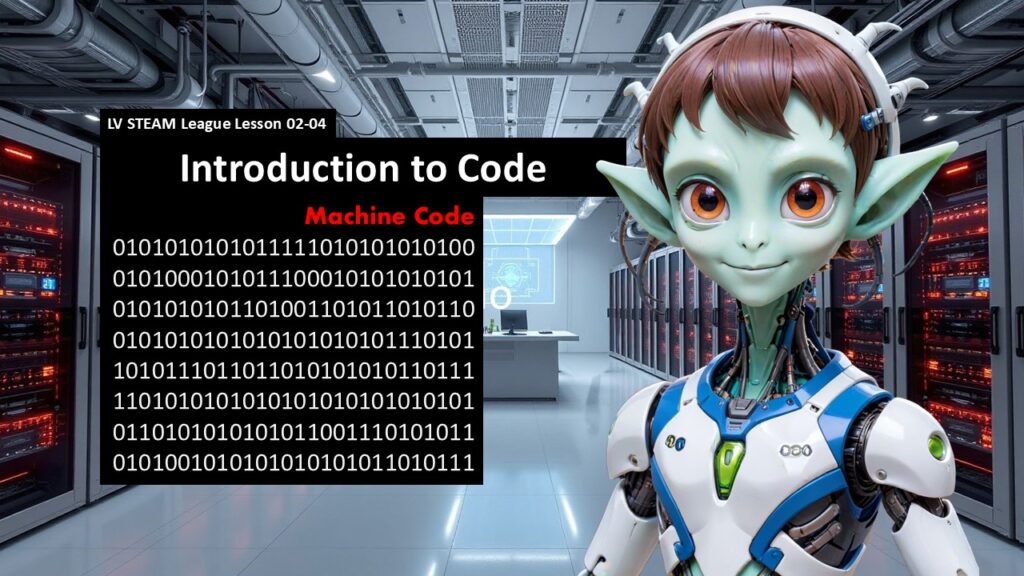
This lesson gently introduces students to the world of computer programming by breaking down myths and showing that code is simply a set of instructions written in a language computers can understand. The goal is not for students to memorize anything or feel pressure. Instead, they discover that coding is learnable, logical, and surprisingly similar to giving instructions in real life.
Students explore ideas like binary, compilers, programming languages, and the Arduino C based syntax used in sketches. By the end, they will see coding as a tool for creativity rather than something mysterious or hard.
Student Learning Goals
By the end of this lesson students will be able to
• Understand that computers think in ones and zeros
• Explain the difference between human language and machine language
• Describe what a compiler does
• Recognize that many different programming languages exist
• Identify that Arduino sketches use a C style syntax
• Read a simple Arduino program and understand what parts of it do
• Feel more confident about learning to code
Materials Needed
Computers with the Arduino IDE
Arduino boards (optional for demonstration)
Whiteboard or projector
Printed sample code snippets (optional)
Student notebooks
Teacher Preparation Notes
Review the sample Arduino sketch in the PPT so you can point out the setup and loop sections clearly.
No deep coding knowledge is required. The purpose is comfort and exposure.
Make sure your IDE is ready in case you want to show live code, but this is optional.
The key to this lesson is tone. Stay relaxed, encourage curiosity, and remove any fear of being “wrong.”
Safety Notes
There is no electronics handling in this lesson unless you choose to demo the blink code.
Remind students to keep liquids away from laptops.
Stay seated when working at computers.
Warm Up Activity
Ask students
Have you ever given someone instructions
Let them share examples like directions to a friend or steps in a recipe.
Explain that coding is the same idea.
It is simply giving very clear instructions to a computer.
This brings the idea of programming into a comfortable human space before diving into the slides.
Lesson Flow
**Step One
What Is Code**
Show the binary slides filled with ones and zeros.
Explain that computers store everything as tiny switches that can only be on or off.
Binary is how computers think, but humans do not need to think this way.
Teacher note
Keep this playful. Tell them that binary is like whispering a secret language to the machine.
**Step Two
Humans Think Differently**
Show the slide explaining base 10 and how humans use numbers differently.
Explain that because we think in words, shapes, sounds, and ideas, we need a tool that helps translate our thinking into something a computer understands.
**Step Three
What a Compiler Does**
Introduce the compiler slide.
Explain that a compiler’s job is to take human friendly code and turn it into binary the machine can understand.
Compare it to a translator helping two people communicate.
Teacher note
Reassure students that they will never have to write code in ones and zeros.
**Step Four
Programming Languages**
Show the huge list of languages.
Explain that each language has a different purpose, but many share similar ideas.
Give simple examples
HTML makes web pages
Python helps with data and AI
Java makes cross platform apps
Arduino uses C based syntax
Tell students
You don’t need to learn all these. You only need one to start.
**Step Five
Arduino Sketches Use C Syntax**
Show the slide with the C style Arduino code.
Explain that all Arduino sketches share two important blocks
setup
loop
Walk them through the example
setup runs once
loop runs forever
pinMode sets how a pin behaves
digitalWrite turns things on and off
Teacher note
Do not get technical. Keep it friendly and magical.
**Step Six
Syntax Is Just “How You Say It”**
Show the syntax definition slide.
Explain that syntax is simply the way a programming language expects you to write instructions.
Use a natural example
It’s like punctuation and grammar in English.
Encourage students
If you can write a sentence, you can learn syntax.
**Step Seven
Libraries and Frameworks**
Show the slide mentioning libraries, APIs, and classes.
Explain that libraries are bundles of pre written tools that help you do big things with tiny amounts of code.
Keep this very light. Students only need to know these tools exist to help them.
**Step Eight
Putting It All Together**
Show the final slide.
Explain that coding is really just
humans writing instructions
compiler translating
Arduino following the instructions
This sets the stage for writing their first real programs in the next lesson.
Teacher Notes for Each Slide
Binary pages
Don’t explain the binary itself. Use it to spark curiosity and emphasize how different computers think.
Base 10 vs machine language
Keep it simple and avoid math.
Compiler slide
Use the translator metaphor.
Language list
Remind students that starting small is perfect.
Arduino sketch
Only highlight setup, loop, pinMode, digitalWrite.
Syntax definition
Reassure students that mistakes are normal.
Libraries slide
Keep it light.
Independent or Group Activity
Option A
Give students a printout of the Blink sketch and ask them to label
setup
loop
pinMode
digitalWrite
Option B
Have students write a “human language program” for something simple like
How to make a peanut butter sandwich
How to tie your shoes
This helps them understand instructions and syntax.
Vocabulary and Concepts
Binary
A language of ones and zeros computers use internally.
Compiler
A tool that translates code into machine language.
Programming language
A set of rules for writing instructions a computer can follow.
Sketch
A program written for Arduino.
Syntax
The way code must be written so the computer understands it.
Wrap Up
Ask
What surprised you about how computers think
What part of the Arduino code looked familiar
What are you curious to learn next
Celebrate their growing confidence.
Exit Ticket
One
What does a compiler do
Two
What are the two main parts of every Arduino sketch
Quiz
1. Multiple Choice
Binary is made of
Letters
Ones and zeros
Shapes and colors
2. Short Answer
Why do humans need programming languages
3. Multiple Choice
In an Arduino sketch, which part runs over and over
setup
loop
translate
4. Short Answer
What does syntax mean
5. Short Answer
Name one thing in the Blink program you recognized.
Teacher Reflection
Did students seem more comfortable with coding after this lesson
Which explanations helped the most
Should the lesson be slower or more hands on next time
Were any parts confusing or intimidating