
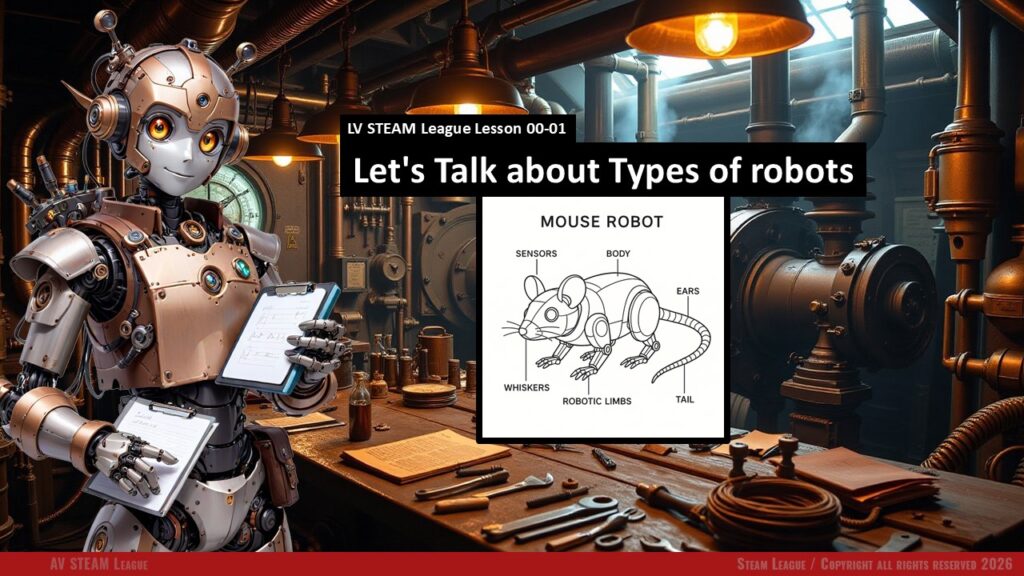
This lesson invites students into the wide world of robots by showing them just how many shapes and purposes robots can have. Students discover that robots are not just machines with wheels. They can fly, swim, crawl, explore, rescue, comfort, and even learn alongside us. By the end of this lesson students begin to see robots as helpers, tools, teammates, and creative inventions that solve real problems in the world. This lesson helps them see possibility everywhere and opens the door for future building and coding with confidence.
Student Learning Goals
By the end of this lesson students will be able to
• Name several different types of robots and describe what they do
• Recognize that robots are designed for specific environments and needs
• Explain how movement, sensors, and design choices help a robot do its job
• Imagine their own helpful robot and describe how it works
• Build confidence in thinking like a young engineer and designer
Materials Needed
Electronic journals
Optional robot toys or props that help spark imagination
Printed activity instructions if desired
Teacher Preparation Notes
This is a gentle introductory lesson, so take a moment before class to review each robot type on the slide deck. Notice the big idea behind each category rather than memorizing every detail. Students may ask creative questions that drift sideways, and that is perfectly fine. The goal is exploration and curiosity.
If you have any classroom robots such as small rovers or simple drones, place them somewhere visible. Students love connecting the lesson with real objects.
Make sure journals are ready to go. The final activity is creative and low stress, and students should feel supported no matter their drawing skill.
Safety Notes
We always respect our tools and our space.
We move slowly and calmly in the classroom.
If any robots are shown or handled, students only touch with permission and gentle care.
We keep the room safe for everyone.
Warm Up Activity (Three minutes)
Ask students
What do you think a robot is
Let them shout out ideas. Write a few on the board.
Then ask
Do you think all robots look the same or move the same
Let curiosity open the door before starting the slides.
Lesson Flow
Step One: Discovering Many Types of Robots
Introduce the slide deck and walk students through each type of robot. As you speak, keep your tone light and curious. The goal is not technical mastery. It is wonder.
Explain each robot type in daily language. For example
• Autonomous drones are like flying explorers that do not need someone holding a remote the whole time.
• Bioinspired robots move like animals because nature is full of good ideas.
• Medical robots help doctors do careful and difficult work.
• Underwater robots go where people cannot safely swim.
• Swarm robots work like a team of tiny helpers.
Teacher note
Pause after each type and ask a quick question like
Where have you seen something like this
or
Why would this be helpful in real life
This keeps students engaged without slowing the lesson.
Step Two: Connecting Robot Types to Real Problems
After introducing all the categories, guide students through a short discussion about how robots help people.
You might ask
Which robot type feels the most useful
Which one feels the most surprising
If you had one of these robots at home or school, which kind would help you the most
This step helps students understand that robots are tools designed for specific jobs.
Teacher note
Let the room breathe here. Students love to imagine possibilities. Encourage all ideas.
Step Three: Journal Activity — “Design Your Own Helpful Robot”
Students now create their own robot based on a real robot type. They may draw or write.
Give them the exact prompt from the slide so it matches the lesson:
Think about everything you learned today about the different types of robots. Now imagine a robot that would be helpful in your life, your school, or your community. In your journal, draw or describe a robot that fits into one of the robot types we discussed. Your robot should answer three questions
• What type of robot is it
• What job does it do
• How does it move or work
Teacher notes
This activity should feel playful and safe. If students feel nervous about drawing, remind them that simple shapes are perfectly fine. What matters is the idea.
Give students five to ten minutes.
Step Four: Sharing and Reflection
Invite two or three volunteers to share their robot design.
Ask the class
What did you notice
What problem does this robot solve
What surprised you today
What did you learn about yourself as a thinker or designer
This final step closes the loop and helps students feel proud of their imagination.
Teacher Notes for Each Slide
(These notes follow the order of the PPT content.)
Slide: Autonomous Drones
Share that drones can fly, roll, or swim. Emphasize that autonomy means “on their own.” Keep examples light and exciting such as mapping forests or helping during emergencies.
Slide: BioInspired Robots
Explain that nature is the world’s best engineer. Animals move in ways that help robots learn. Examples include robotic snakes or robotic fish.
Slide: Educational Robots
These are the tools we use in our programs. Make it personal. Let students know these robots are built for learning, experimenting, and making mistakes safely.
Slide: Medical Robots
Slow your pace and mention the importance of careful movement. Students often find these fascinating.
Slide: Agricultural Robots
Connect this slide to everyday life. Food arrives on our table with help from technology.
Slide: Search and Rescue Robots
This is a great moment to talk about robots helping humans stay safe. Show calm excitement.
Slide: Underwater Robots
Students love imagining deep ocean exploration. Explain that these robots allow humans to learn more about our planet.
Slide: Swarm Robots
Explain that many small robots working together can be smarter than one large robot.
Slide: Companion and Social Robots
Highlight kindness and assistance. These robots help people feel supported.
Slide: Journal Activity
Read the prompt slowly. Encourage imagination over perfection.
All slide information sourced from the provided PPT.
Independent or Group Activity
Students may pair up to describe their robots to each other. They can ask
What does your robot solve
How would it move
What would you improve
This builds communication and confidence.
Vocabulary and Concepts
Robot A machine designed to help with tasks
Autonomous Able to move or act without constant control
BioInspired Designed to move like an animal or living creature
Swarm A group of robots working together like a team
Underwater robot A robot that explores places humans cannot easily go
Search and rescue Helping find people or gather information after emergencies
All terms based on PPT content.
Wrap Up
Ask students
What type of robot inspired you the most
What did you discover about how robots help people
If you could build one robot for the world, what would it be
Let them feel proud of their ideas.
Exit Ticket
One quick question
Name one type of robot and describe one job it does.
Or
Which robot type would you like to build someday and why
Quiz
Keep tone friendly and low pressure.
1. Multiple Choice
Which robot moves like animals
A. Medical robot
B. BioInspired robot
C. Agricultural robot
D. Search and rescue robot
2. Short Answer
What does an underwater robot help scientists do
3. Multiple Choice
Which robot type is used in farms
A. Educational robot
B. Agricultural robot
C. Companion robot
D. Swarm robot
4. Short Answer
What makes autonomous drones special
5. Reflection Question
Which robot type did you find the most interesting and why
Teacher Reflection
What parts of this lesson felt smooth
Which robot type sparked the most excitement
Did students need more time on the journal activity
What would you adjust before teaching this again